How to get guests to take part on the day
A visible QR, a clear sentence, and a few simple gestures so guests actually send their photos during the event.

Émile Leroux
5 min read
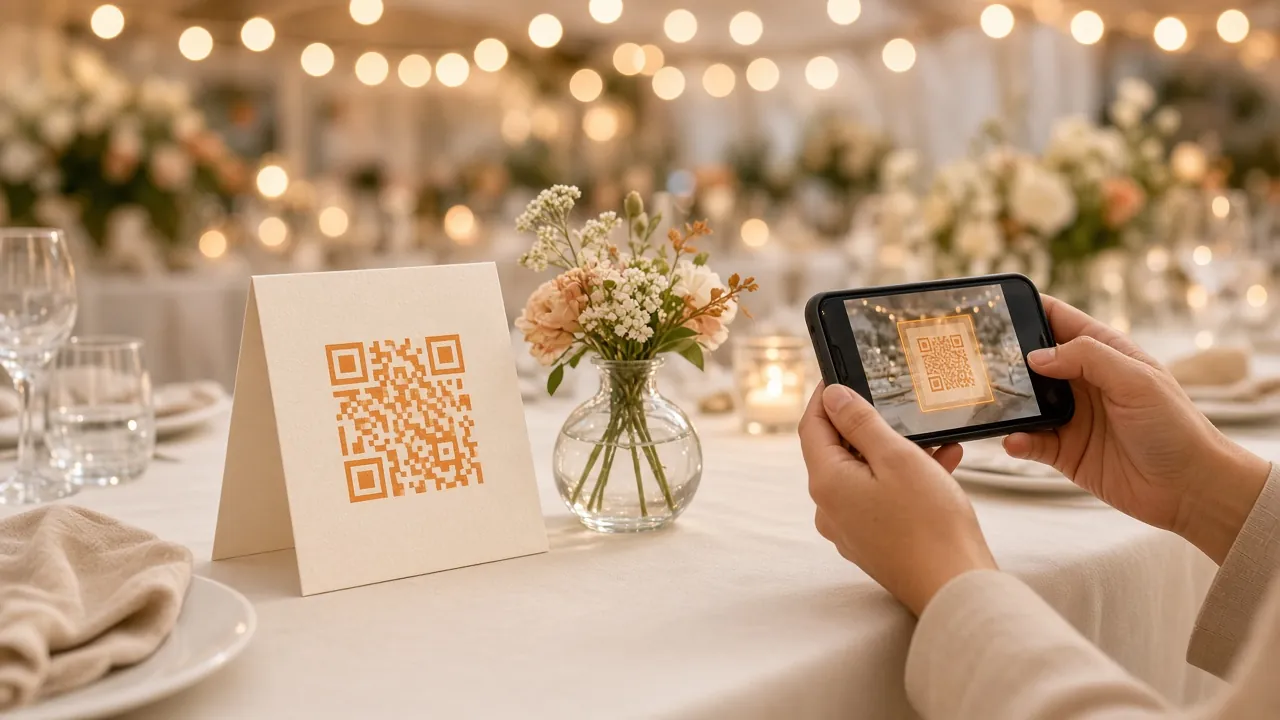
On the day, most of the photos already exist on the guests' phones. What is missing is a first gesture at the right moment, without friction.
Komos removes the account, the app, and the queue. What you still have to do is make the QR hard to miss and the action obvious.
Why guests send nothing (even with a QR)
A QR stuck in a corner is rarely enough. People arrive, talk, dance. If they do not understand in two seconds what it changes for them, they move on.
The usual barriers:
- The QR is hard to find, or too small.
- Nobody explains out loud what to do.
- The guest thinks they have to create an account.
- The guest sees no result after sending.
- People wait until the next day, and the link is never sent again.
Each of these can be fixed with a little preparation.
Before the event: prepare the ground
Taking part on the day is won the day before.
Print more than one piece
A single poster at the entrance disappears in the flow of arrivals. Prepare several formats:
- A readable poster near the entrance.
- Cards on the tables (postcard size, or a table tent).
- A piece near the bar or the buffet.
- A version for the screen or the projector, if you have one.
The idea: wherever a person stops, the QR is within sight.
Choose one sentence
Guests do not need a speech. One sentence is enough, always the same one:
"Scan the QR to add your photos to the gallery. Nothing to install."
If you change the wording at every table, the message gets diluted. Repeating the same clear sentence works better.
Test your own path
The day before, open the link on an iPhone and on an Android. Send a photo. Check the gallery and the live wall. If something gets stuck for you, it will get stuck for everyone.
On the day: the exact moment to speak
Timing matters as much as the QR.
On arrival
When the first guests come through the door, point out the QR once, calmly. No microphone needed. A look toward the poster and the single sentence are enough. The first uploads pull the others along: people see that it works, and several follow.
Before the meal or before the toast
This is often the best window. People are seated, the noise drops, attention comes back up. Thirty seconds on the mic are worth more than a stack of silent posters.
A simple example:
"We are collecting the photos here. Scan the QR on your table, pick your photos, and that is it. You will see the wall fill up."
During the evening: the live wall as proof
If you have a screen, start the live wall. Seeing your photo appear gives the upload an immediate point. Without a screen, show the gallery on your phone to the couple, the parents, or the DJ. A few people sending in front of the others is often enough.
Where to place the QR so people actually see it
Think about the natural paths guests take, not only about the décor.
- Entrance: first contact, useful for guests who only stop by.
- Tables: people stay seated long enough to take out their phone.
- Bar or buffet: the line leaves time to scan.
- Near the dance floor: louder, but useful late in the evening when stories start coming fast.
- Washrooms or a mirror (if the tone of the event allows it): a place where people already take out their phone.
Avoid spots that are too dark, corners behind a plant, or a QR too small to scan at arm's length.
What not to do
- Ask for an account or an app: you lose a large part of the room.
- Hide the QR in a booklet of twenty pages.
- Explain ten steps. One sentence, one gesture.
- Wait for people to find everything on their own.
- Close uploads too early that same evening, if the party is still going.
After the day: the second wave
A lot of photos stay on phones the next day. People are calmer, they sort, they want to contribute.
Send the same link the next day (text message, Messenger, email). Remind them that nothing has to be installed. With Komos, an automatic host email the next day is there to bring people back to the gallery while uploads are still open.
Minute by minute checklist
The day before
- Print the materials.
- Test iPhone and Android.
- Write the single sentence.
- Decide who speaks on the mic (you, the DJ, someone close).
When the doors open
- Entrance poster easy to see.
- Cards already on the tables.
- Live wall on, if you have one.
At the high point (meal or toast)
- Say the single sentence.
- Point at the QR on the table.
- Show a first result (wall or gallery).
The next day
- Send the link again.
- Thank people.
- Leave uploads open for a few days.
In summary
QR in sight, one sentence said out loud, visible proof (wall or gallery), then a follow up the next day. With that, the gallery fills much more often than with a single poster alone in a corner.
For your next event, you can create your Komos QR, place the materials in the busy spots, and keep the same sentence from start to finish.